BizFlow AI
GenAI document workflows with a human in the loop
- Role
- Product design + frontend engineering
- Timeline
- MVP in 6 weeks
Document-to-action in under 2 minutes
Every automation gated by human approval
Answers grounded in your own files via RAG
The problem
Small operations teams drown in documents: meeting notes, invoices, client briefs. The information needed to act is in there, but pulling it out is manual and slow, and most 'AI automation' tools either hallucinate or fire off actions no one signed off on. The brief was a tool that turns raw documents into trustworthy, reviewable next steps without handing the keys to a black box.
Constraints
- MVP timeline measured in weeks, not months
- Outputs must be auditable, with no ungrounded AI claims
- Non-technical operators are the primary users
- Had to feel calm and legible despite dense, stateful data
The approach
A command center, not a chat box
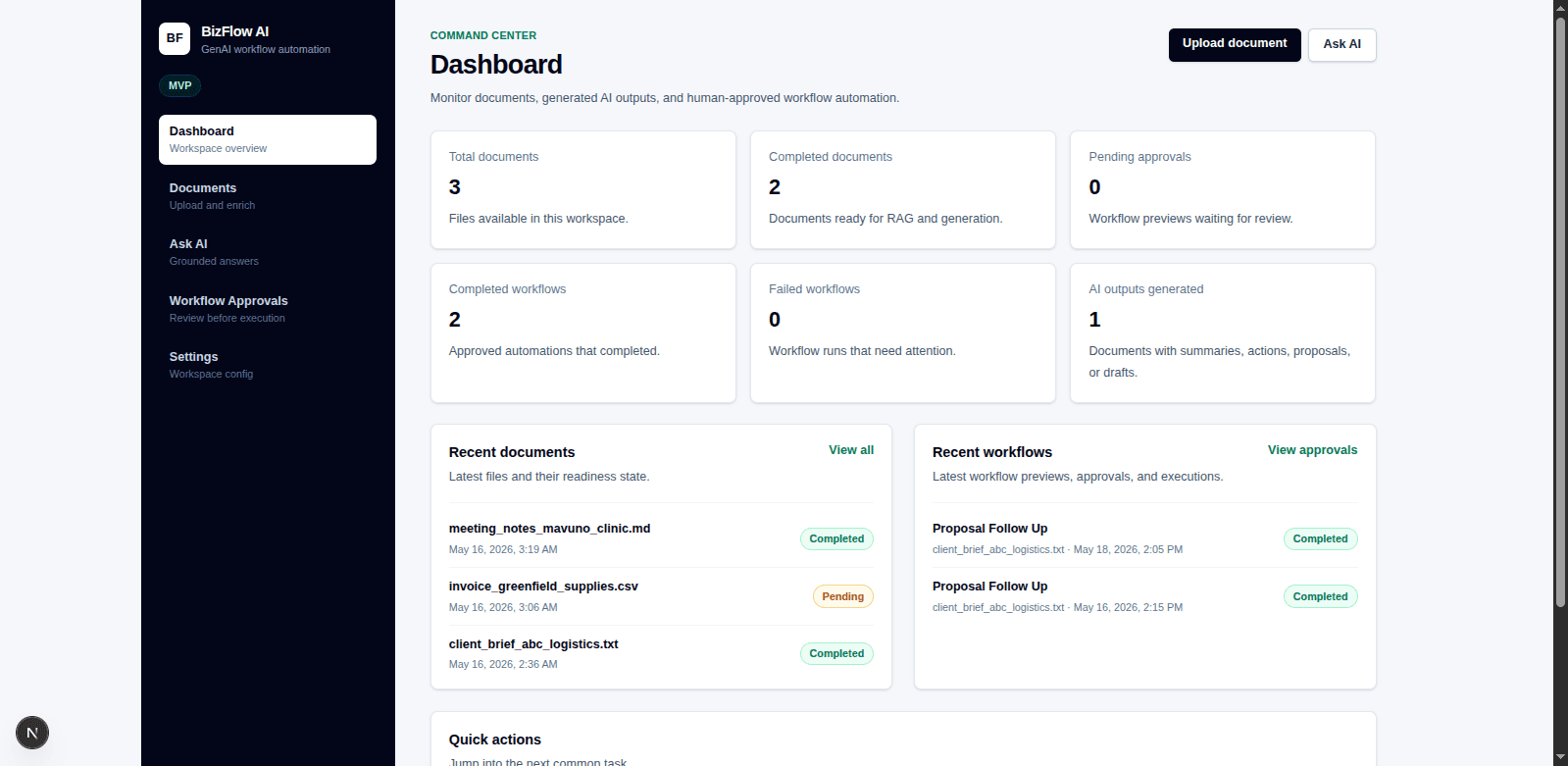
I anchored the product on a dashboard that answers one question on load: what needs my attention? Status tiles (documents, completed and pending approvals, completed and failed workflows, AI outputs) give an operator the whole state of the workspace in a glance, with recent documents and workflow runs one scroll below.
Grounding over generation
Every AI answer is retrieved against the user's uploaded files (RAG), so 'Ask AI' returns sourced answers rather than confident guesses. Readiness states make it obvious which documents are enriched and safe to query.
Human approval as a first-class step
Workflows generate a preview, then wait. Nothing executes until a person reviews it. The design makes the safe path the default path.
Quiet, dense, readable UI
Dark navigation rail for orientation, bright workspace for focus, generous spacing on data-heavy cards, and strict typographic hierarchy so a screen full of numbers never feels noisy.
Results
- Operators go from a stack of files to reviewed, ready-to-run actions in a single session.
- Approval-gated automation removed the trust barrier that blocks AI adoption for ops teams.
- The dashboard pattern scaled cleanly from a handful of documents to a full workspace without redesign.
Tradeoffs
To ship the MVP I deliberately scoped out bulk document ingestion and role-based permissions; the architecture leaves room for both. The dark-sidebar / light-canvas split was a bet on focus over visual flash, and I'd defend it again for a data tool people use all day.